Design systems
Blue Rewards
A scalable design system and UX patterns for BMO Blue Rewards, built for consistency across a loyalty experience.
- Design systems
- UI design
- UX design
A multi-faceted designer and engineer
I’m a product designer, front-end developer and creative generalist in Toronto, Canada. I’ve spent over ten years in design systems, graphic design, illustration and code, and I now design and build with or without AI agents.
Design systems, products and things I've made
Selected case studies in UX, UI and design systems for brands including BMO (Blue Rewards). I design scalable, consistent product experiences, connecting strategy, interaction and visual design with front-end know-how.
Design systems
A scalable design system and UX patterns for BMO Blue Rewards, built for consistency across a loyalty experience.
Airline UI design
UI design, illustration and prototyping for Porter Airlines, crafting a clear, distinctive digital experience.
Product design
A brand, mascots and a 50-card activity deck for babies, plus the React Native companion app I designed and built so parents can play along.
Web design & development
Websites designed and built end to end, from UX and UI through to responsive front-end development.
Creative generalist
Graphic design, illustration and code in one practice: side projects and experiments that show range beyond product work.
I'm Lee Travaglini, a Toronto designer who likes knowing how everything is made. Running a studio for over a decade taught me to learn by doing and to design with the build in mind.
While running my own studio, I spent over ten years creating websites, brand identities, illustration and interactive installations. I've also designed and produced a board game and a children's activity deck, produced music videos, and taught UX and UI design at George Brown College and RED Academy.
Having worked through several eras of web design, I bring solid design fundamentals and real front-end development experience to modern AI tools, which helps me explain clearly how a product should be designed and built. Away from the screen I'm usually building something else, like a working arcade cabinet, or out on a motorcycle or skateboard with music on. Wherever I am, I'm happiest when I'm making something.
Multi-disciplinary product designer
Designer focused on design systems and scalable digital products, with front end experience that helps bridge design and engineering.

May 2026 - Present
Toronto, Canada

June 2023 - May 2026
Toronto, Canada

January 2023 - June 2023
Toronto, Canada

April 2022 - January 2023
Toronto, Canada

October 2021 - December 2022
Toronto, Canada

Founded 2012
Toronto, Canada

Designing accessible, adaptive interfaces in Figma and Claude, with rapid prototyping and user testing to validate ideas early.

Building component libraries with Storybook documentation, usage guidelines and MCP markdown setups so designers, developers and LLMs share one source.

Mentoring designers and leading work across design, development and product, from UX consultation and client workshops to creative campaigns.

Building responsive, accessible front ends with HTML5, CSS3, JavaScript, React, React Native and WordPress, including CSS and SVG animation.

Creating branding, illustration and iconography with Photoshop and Illustrator, plus marketing collateral and social media design.

Leading teams to align vision, strategy and aesthetics across branding and marketing for clear, impactful visual communication.

Product design
I co-own Play Years with product leader Denoja Kankesan. Together we created a deck of 50 simple, screen-free play ideas for babies from 0 to 12 months, now available on Amazon.ca. I designed the brand and its mascots, then used the product as the subject for a hands-on project: designing and building a companion React Native app to learn mobile development.
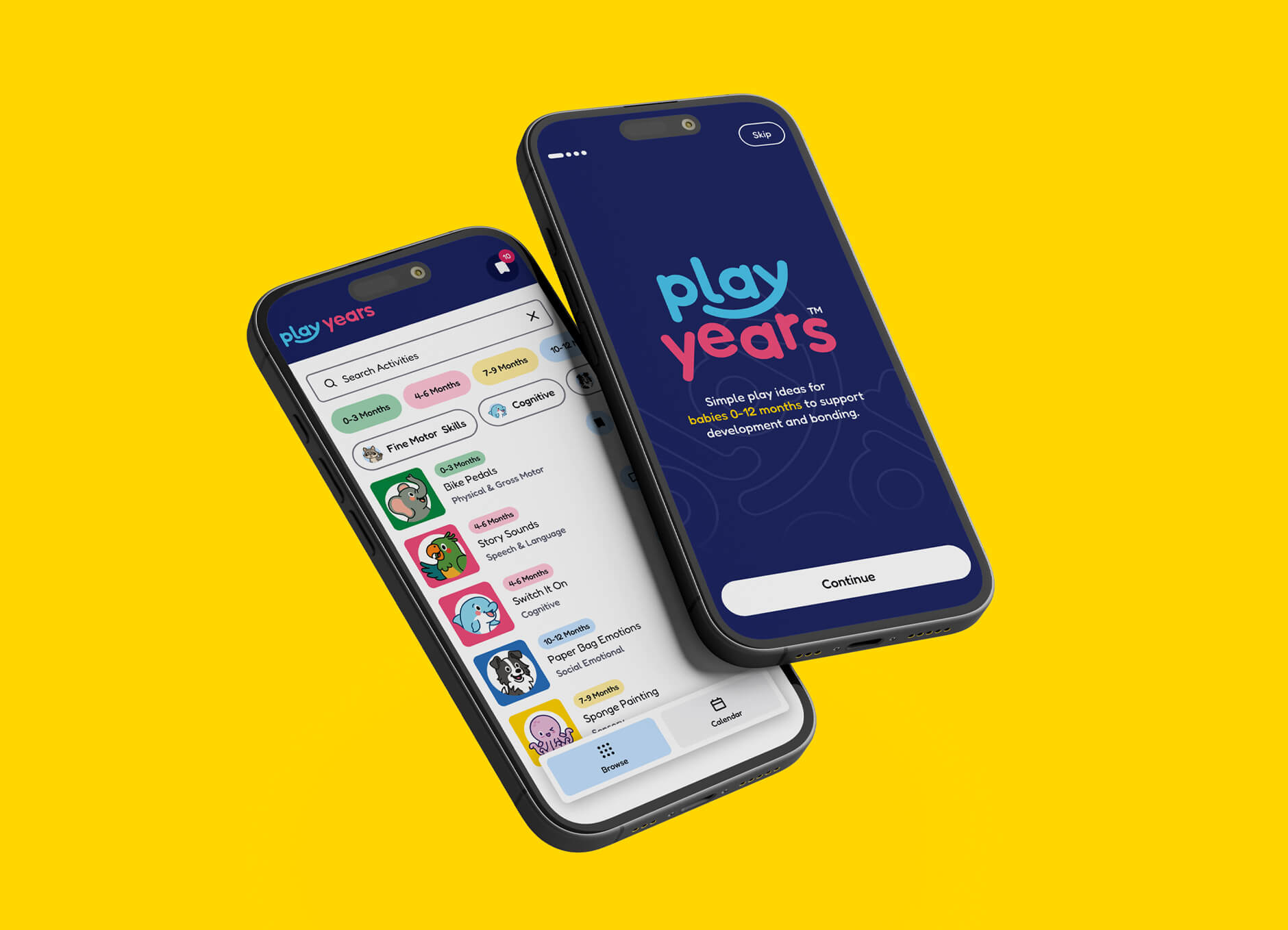
A deck of play ideas for babies 0–12 months, with a companion app that holds the whole collection.
Logo, monogram, mascots, a Figma design system and a working React Native app, all designed and built by me.
Two weeks of design and three of development for the app, not counting the brand.
Parents want simple ways to play with their baby, and most activity products lean on mismatched shapes and inconsistent illustration. We wanted a product that felt warm and clear, with a brand that works in print and on screen, while keeping play itself screen-free.
I led the brand, the illustration and the app: identity, mascots, interface design in Figma, and the React Native build in Expo. I also produced the supporting collateral, including the website at theplayyears.com and the print materials, and set up the Amazon listing.
Brand first, then design the app, then build it.
Colour represents age ranges and mascots represent learning domains, so every card and screen tells you what it is at a glance.
Before building anything I set up Figma properly, with reusable components and tokens for colour, typography and layout.
I used AI as a guide to set up Expo and React Native, asking it to explain each decision, and wrote and refined the front-end myself.
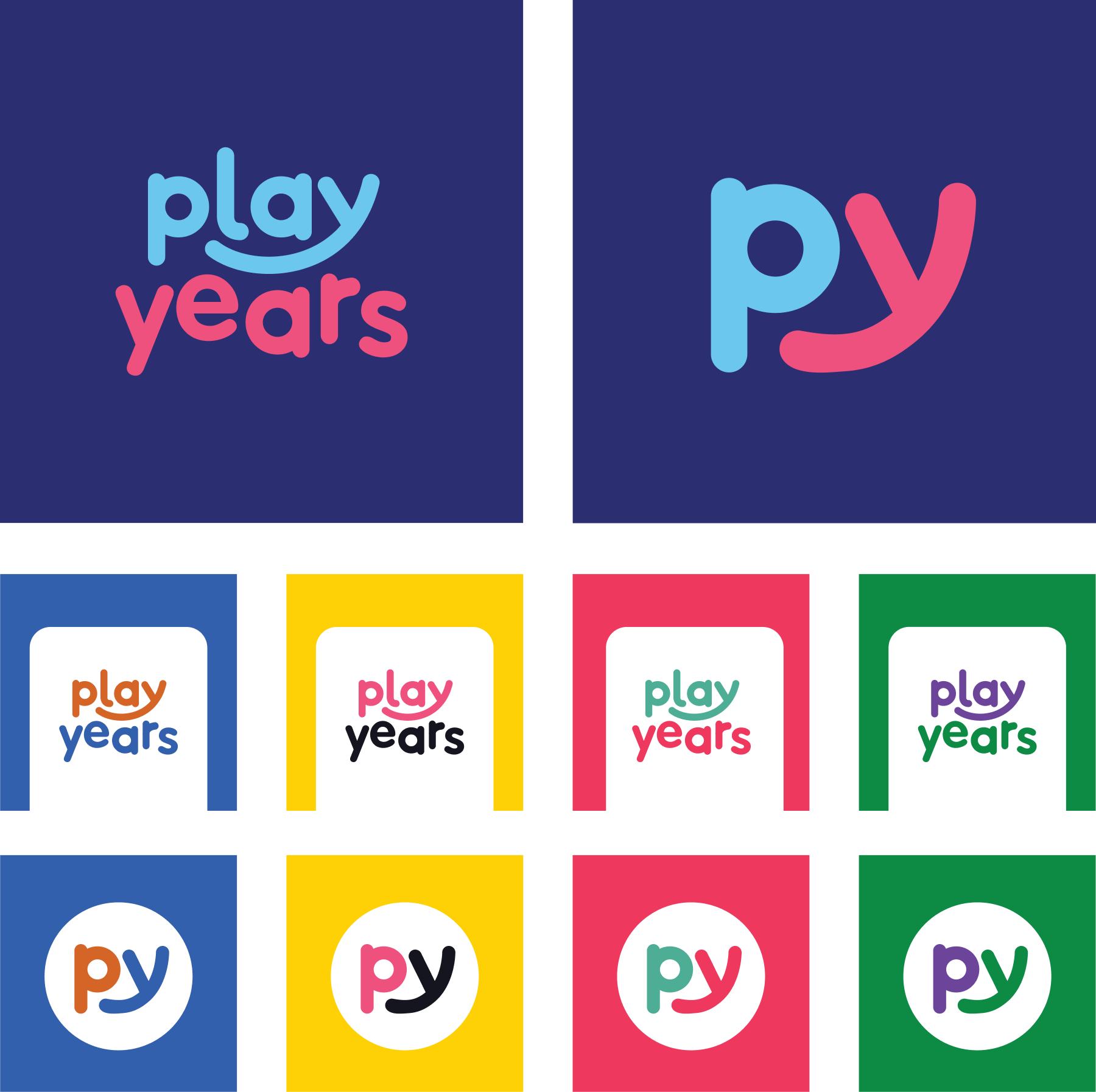
The brand had to be flexible enough to separate content types clearly, and to work across print and digital. I kept the logo typographic, so it never competes with the mascots, and designed it to be youthful, playful and easy to read. A monogram covers quick reference in print and standard digital uses such as favicons and app icons. Age ranges are colour-coded, so a card's colour is its age.
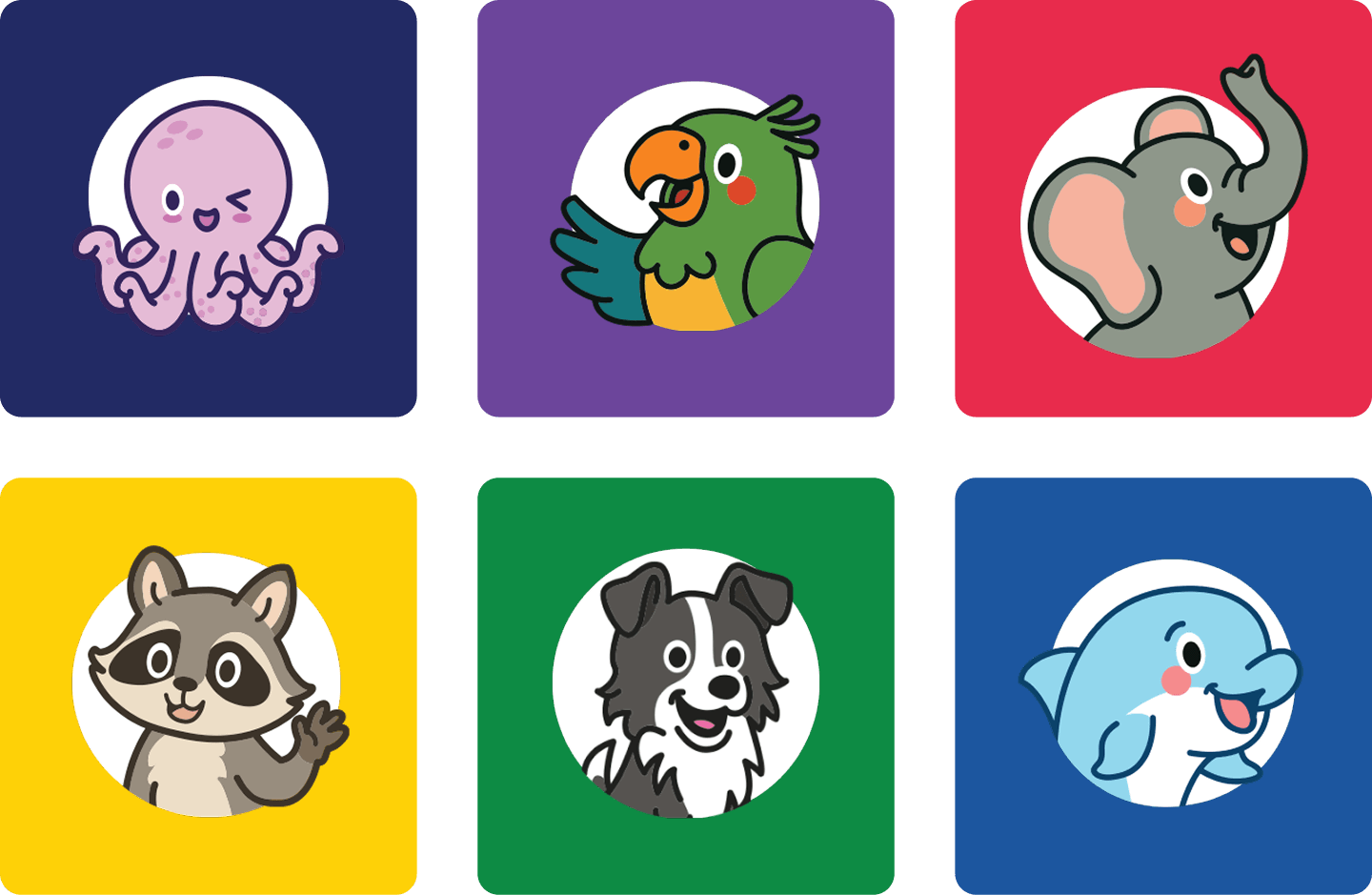
A competitive review showed that similar products often lacked a consistent visual system, mixing shapes and illustration styles. I created animal mascots that each represent a learning domain: Sensory is the octopus, Speech & Language the parrot, Physical & Gross Motor the elephant, Fine Motor the raccoon, Social-Emotional the dog and Cognitive the dolphin. They add emotion and clarity, are designed to engage babies and toddlers, and leave room for the brand to grow.
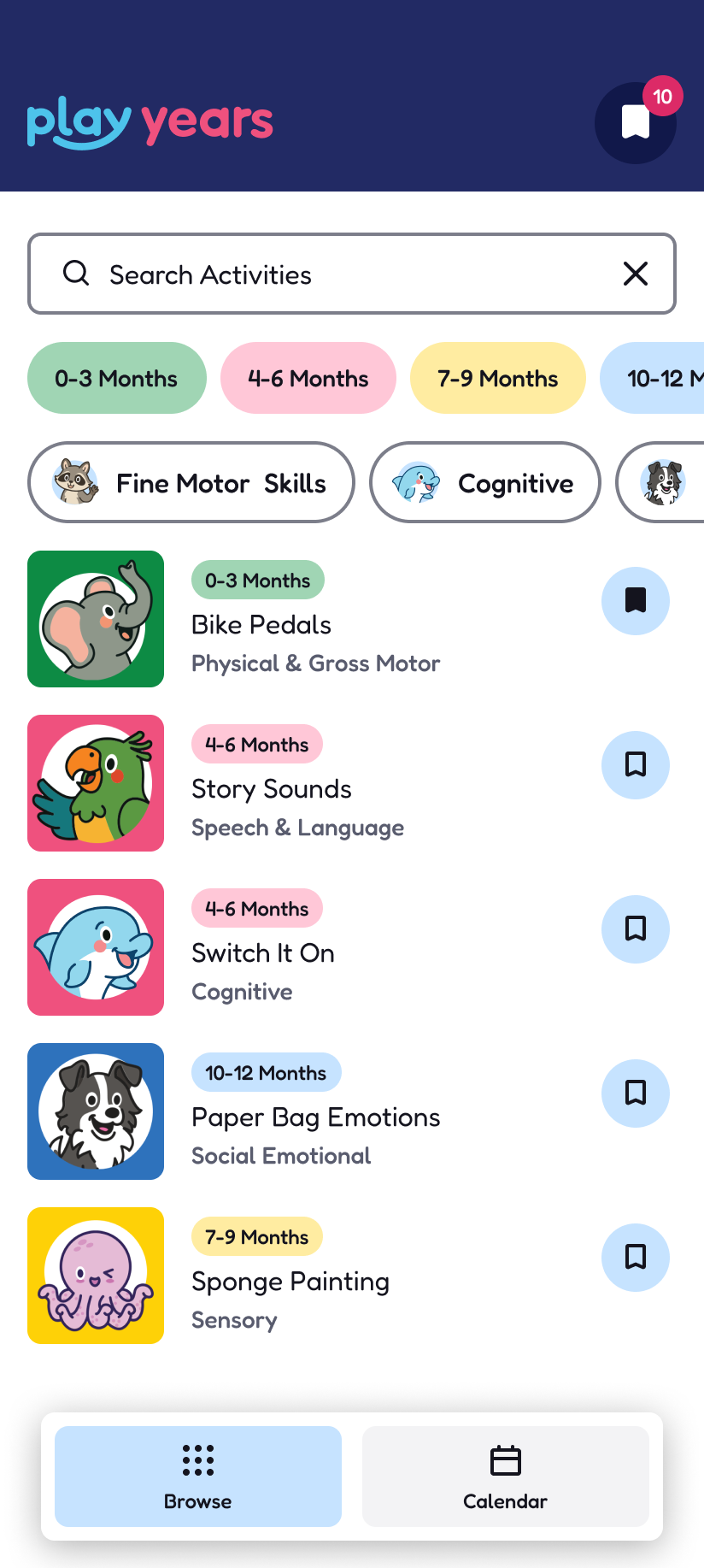
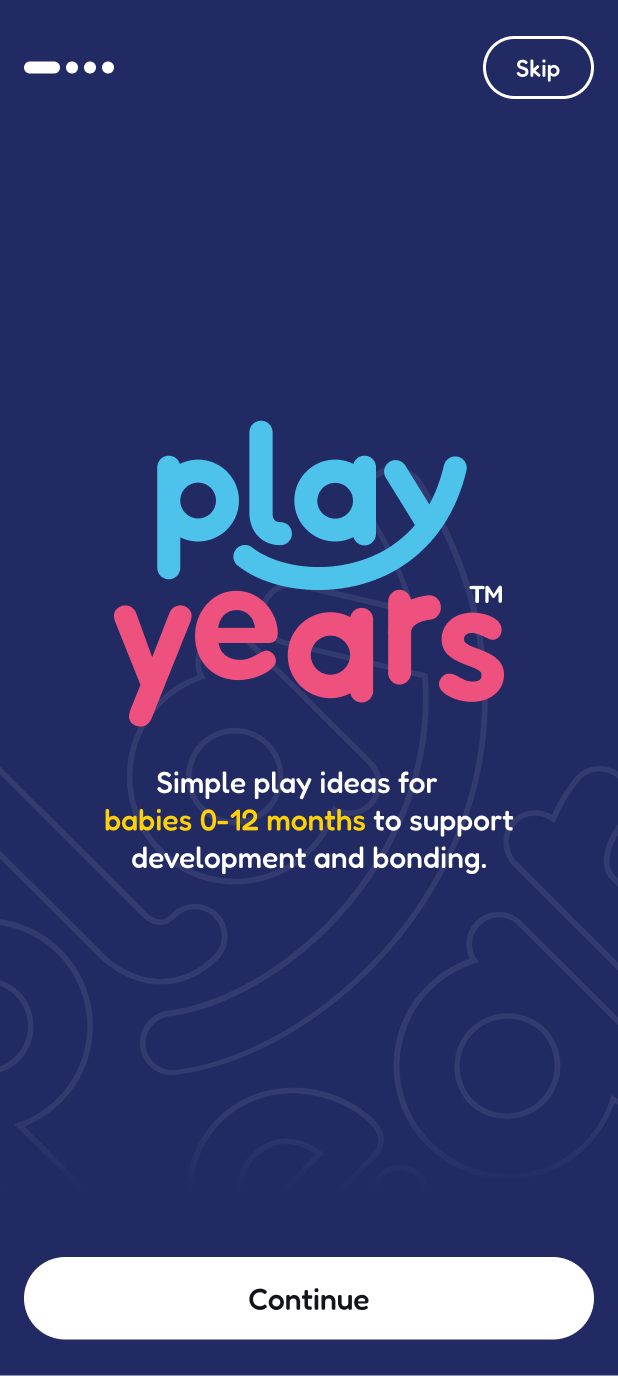
The app is a companion to the printed deck, and it was always a learning project: I wanted to learn app development, and used this existing product as the subject. It will never be released, because the cards exist to get parents playing with their baby without a screen, and an app would work against that. We first imagined personalised suggestions, saved preferences and promotions, but after reviewing the concept with colleagues we agreed a simpler experience would work better, since the cards are already grouped by age. I focused on a single-view onboarding flow, with versioning so it resets when new features arrive, and on a clear way to browse the whole collection.
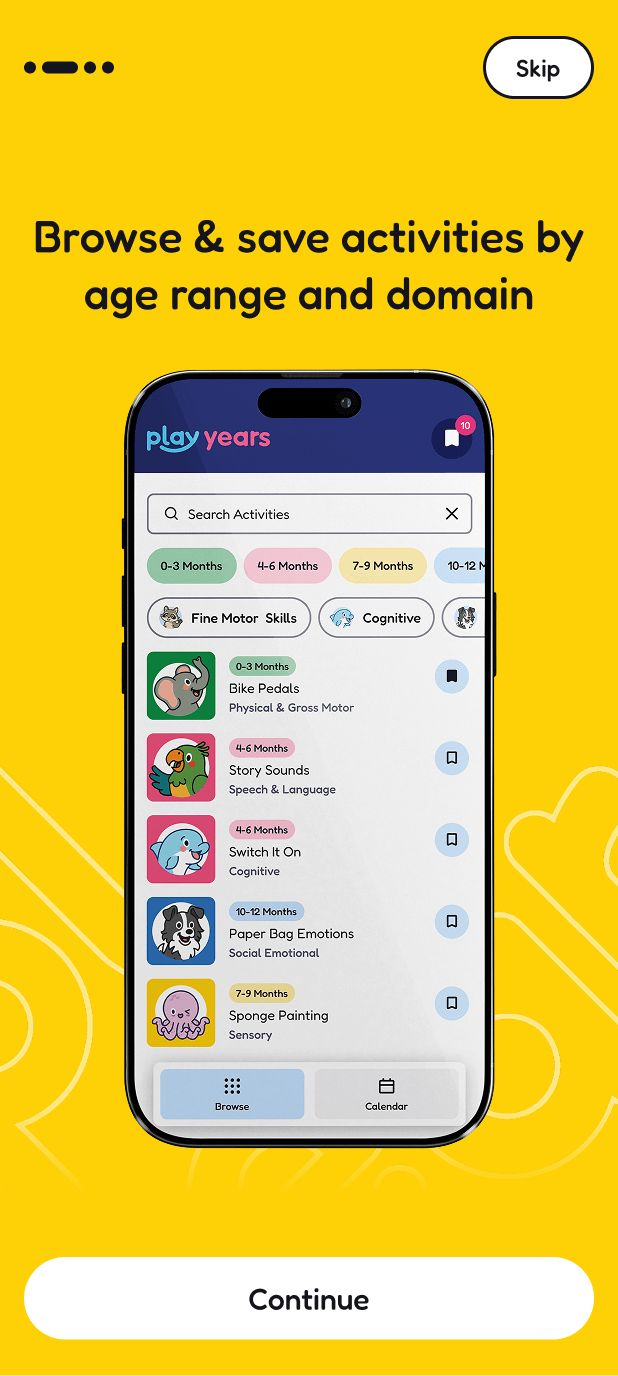
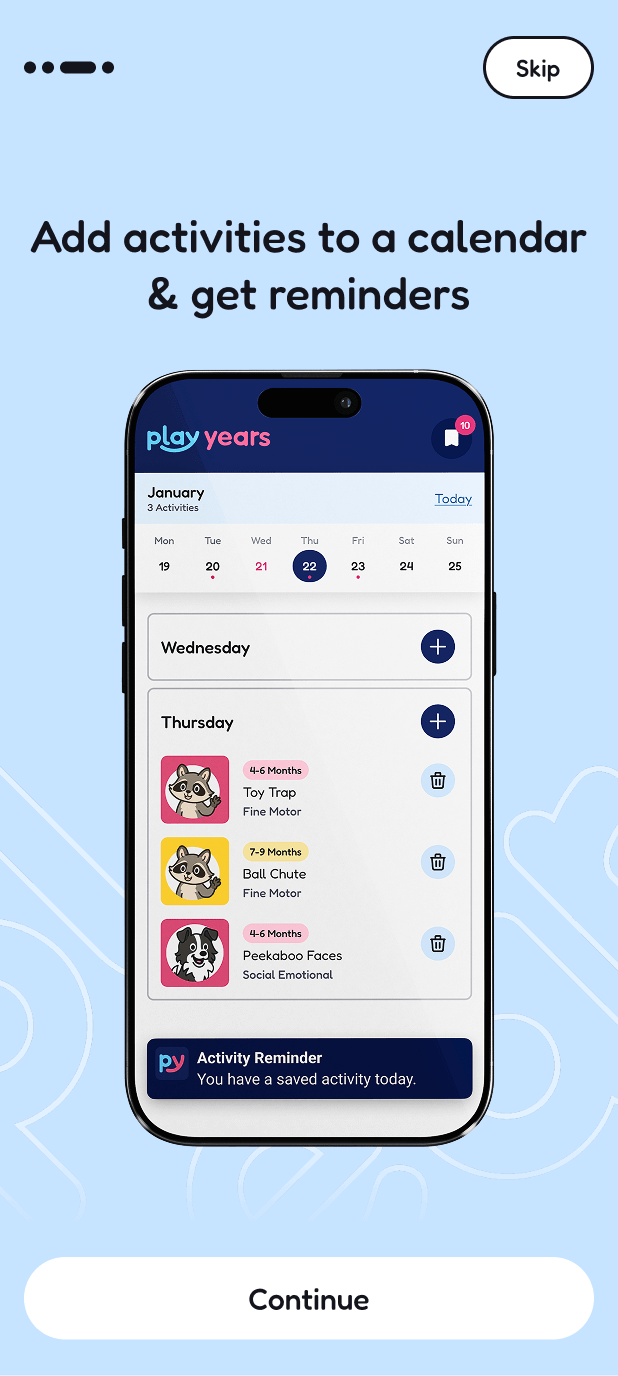

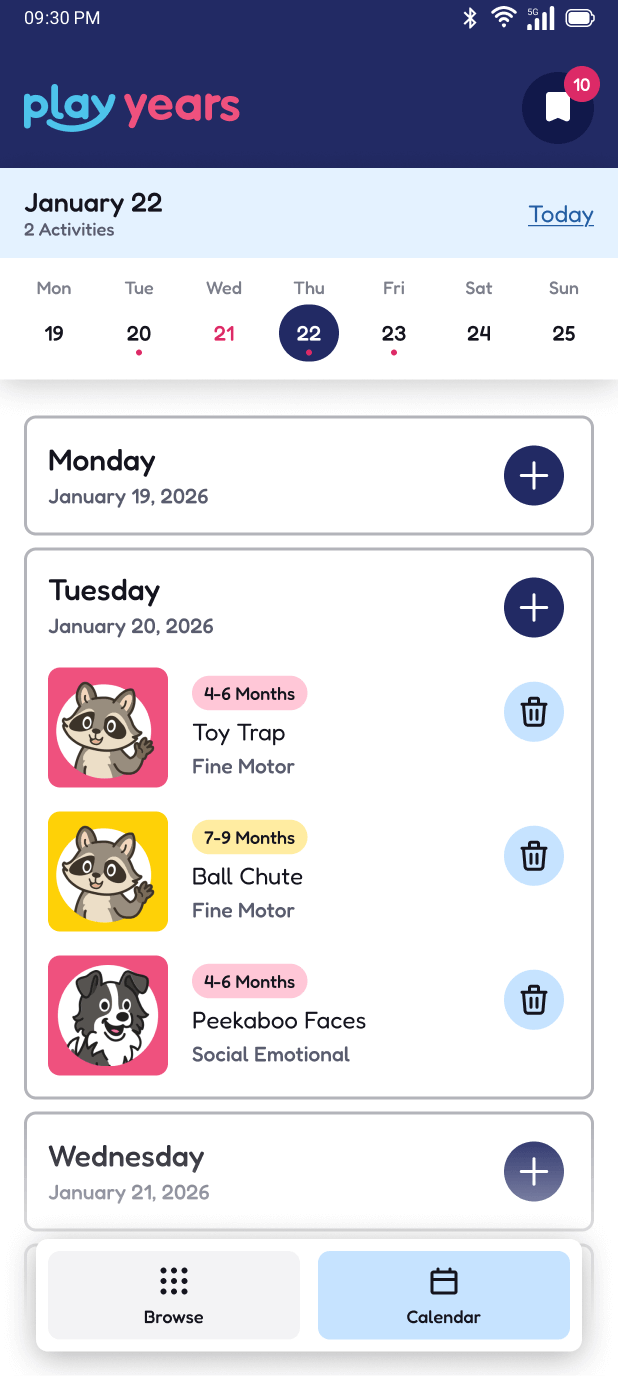
Because the activities are already organised by age, I built a strong search and filter system instead of saved preferences: filter by age range and learning domain, sort, and search with a skeleton loader that responds as filters change. Favourites are kept in async storage. My collaborator suggested a calendar for scheduling activities with daily push reminders, a useful addition for busy parents.
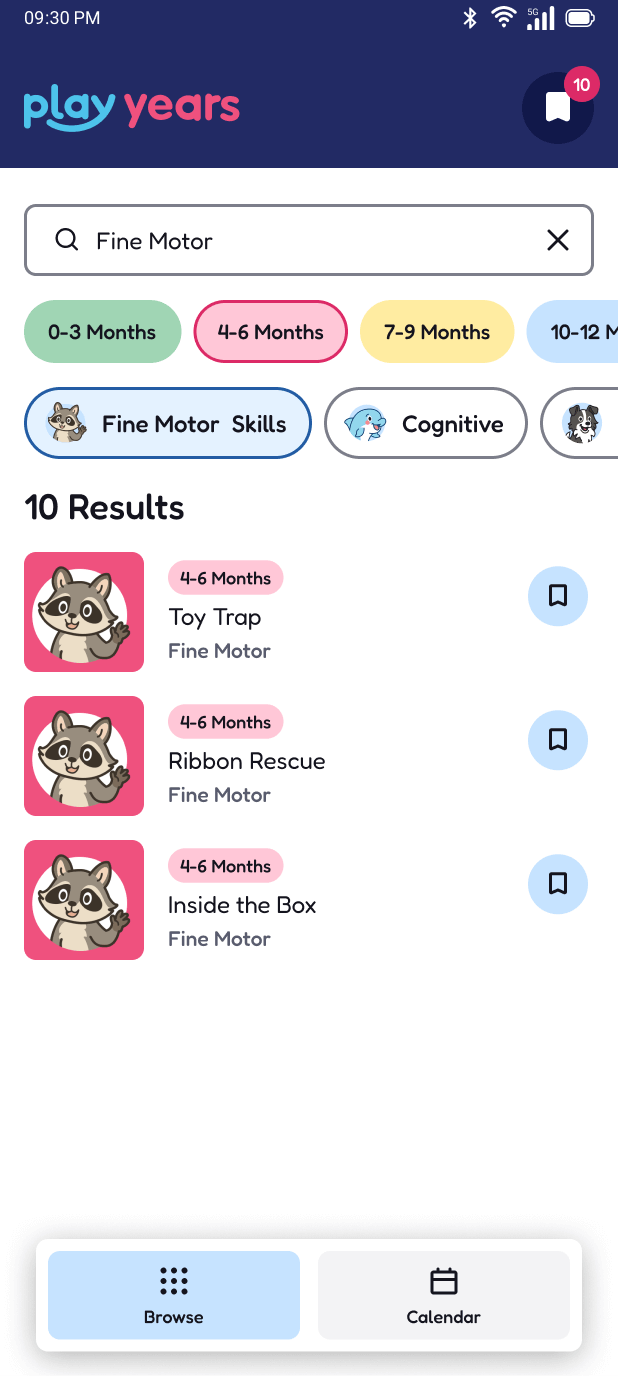
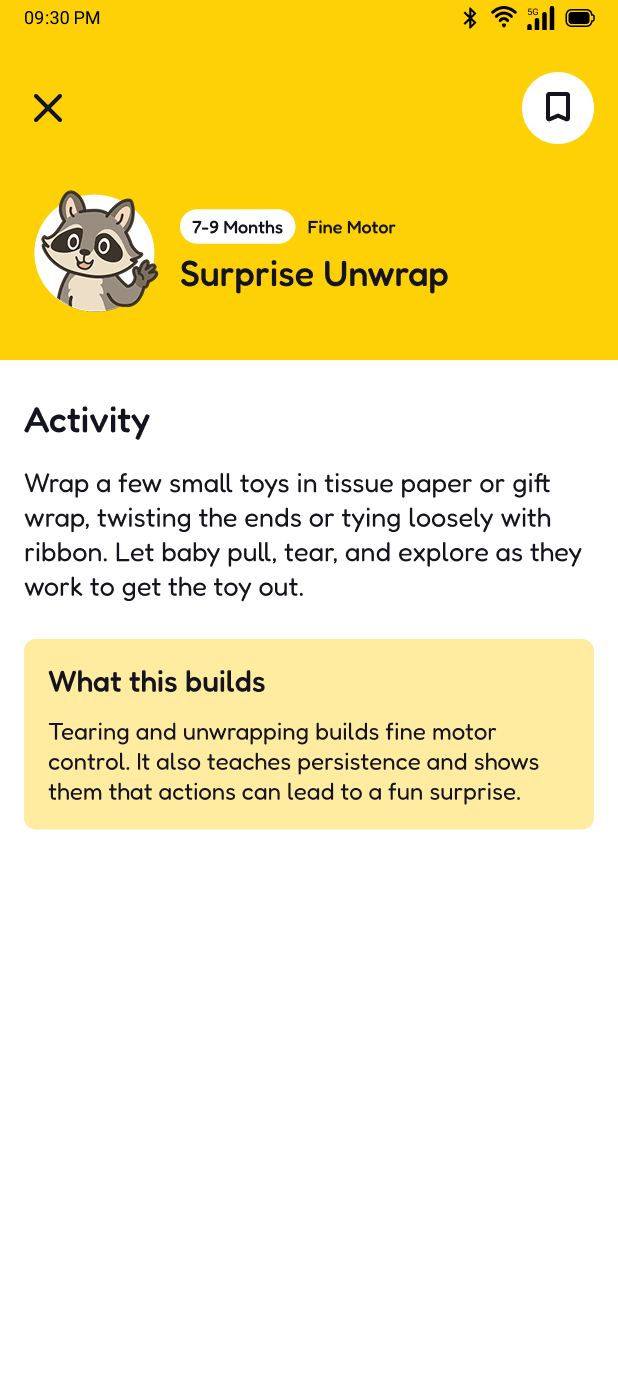
I treated this as a learning project, so I worked through the whole process, from file setup with tokens, components and styles through to development. I exported colour, typography and layout tokens from Figma and used AI to fix the syntax and organise them into reusable code, so the build matched the design almost one to one and the tokens carried through to native elements such as tab bars, buttons and bottom sheets. AI was a tool, not a shortcut: I asked it to explain its reasoning, and my background in ReactJS helped me ask better questions.
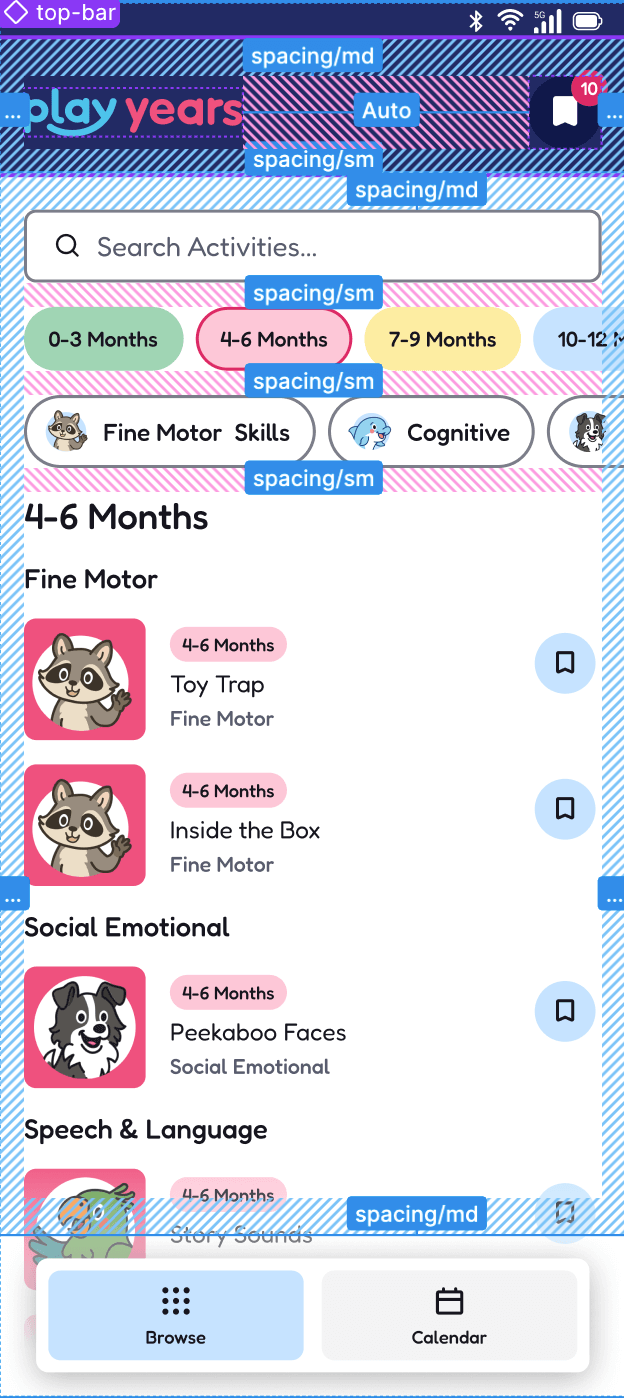
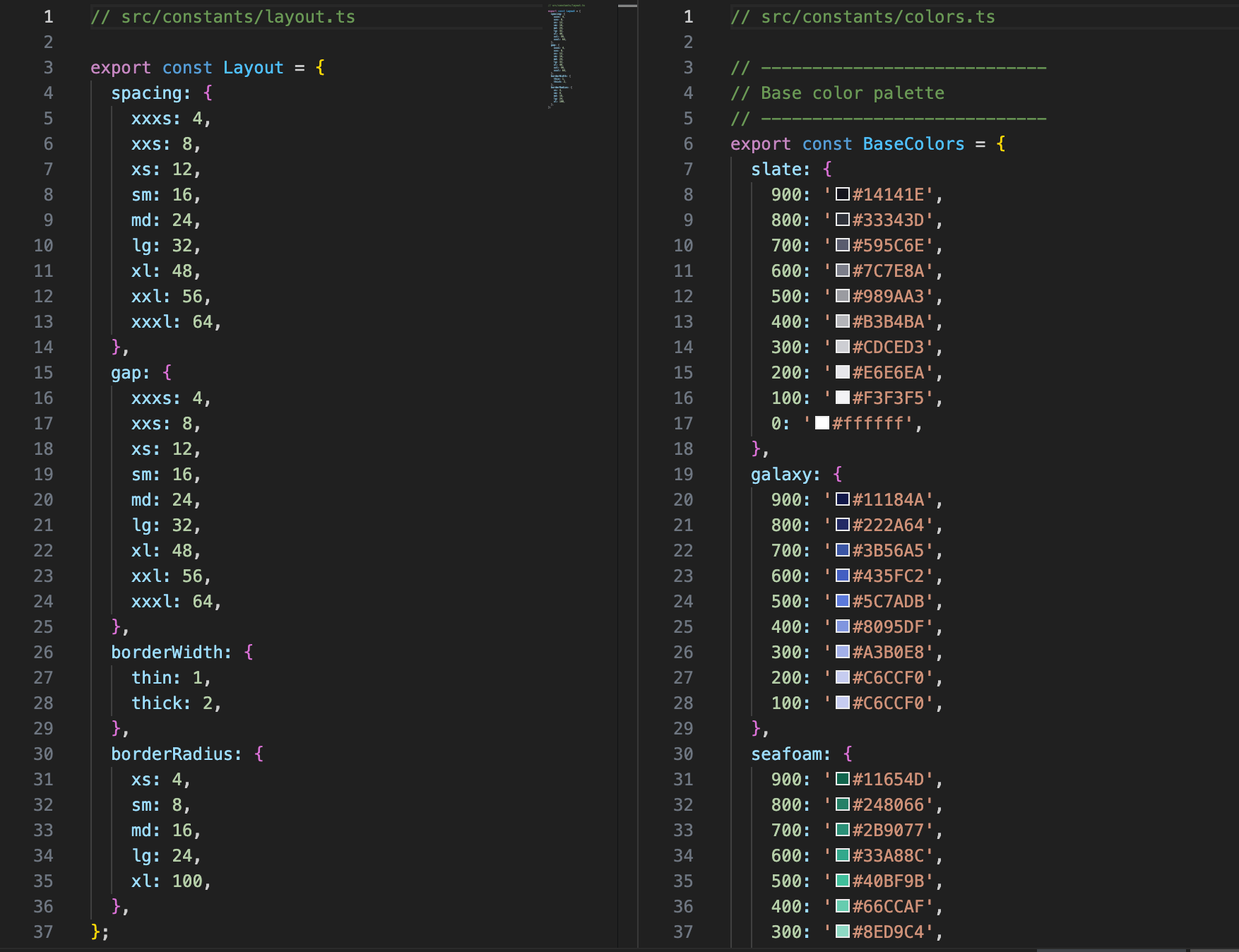
A brand and a screen-free card deck, now on Amazon.ca, plus a working app built in about five weeks as a deliberate learning project. It made me fluent in app development, from simulators and Expo deployments to async data and writing better AI prompts, which has improved how I work with developers.
Next case study